Start the server, connect with one or more clients,
create or join a lobby, then start the match.
1. Starting the game
Frantic^-1 uses a server-client system. One person starts the server.
Every player starts a GUI client and connects to that server.
Server
java -jar not-frantic.jar server
GUI Client
java -jar not-frantic.jar client
With Name
java -jar not-frantic.jar client localhost:5555 Alice

2. Connecting
In the connect screen, enter host, port and username.
- For a local game, use host localhost.
- The default port is 5555.
- Then click Connect.
3. Starting a match
- One player clicks Create New Lobby.
- Other players select the lobby and click Join Selected Lobby.
- When everyone is ready, click Start Game.
4. Game screen
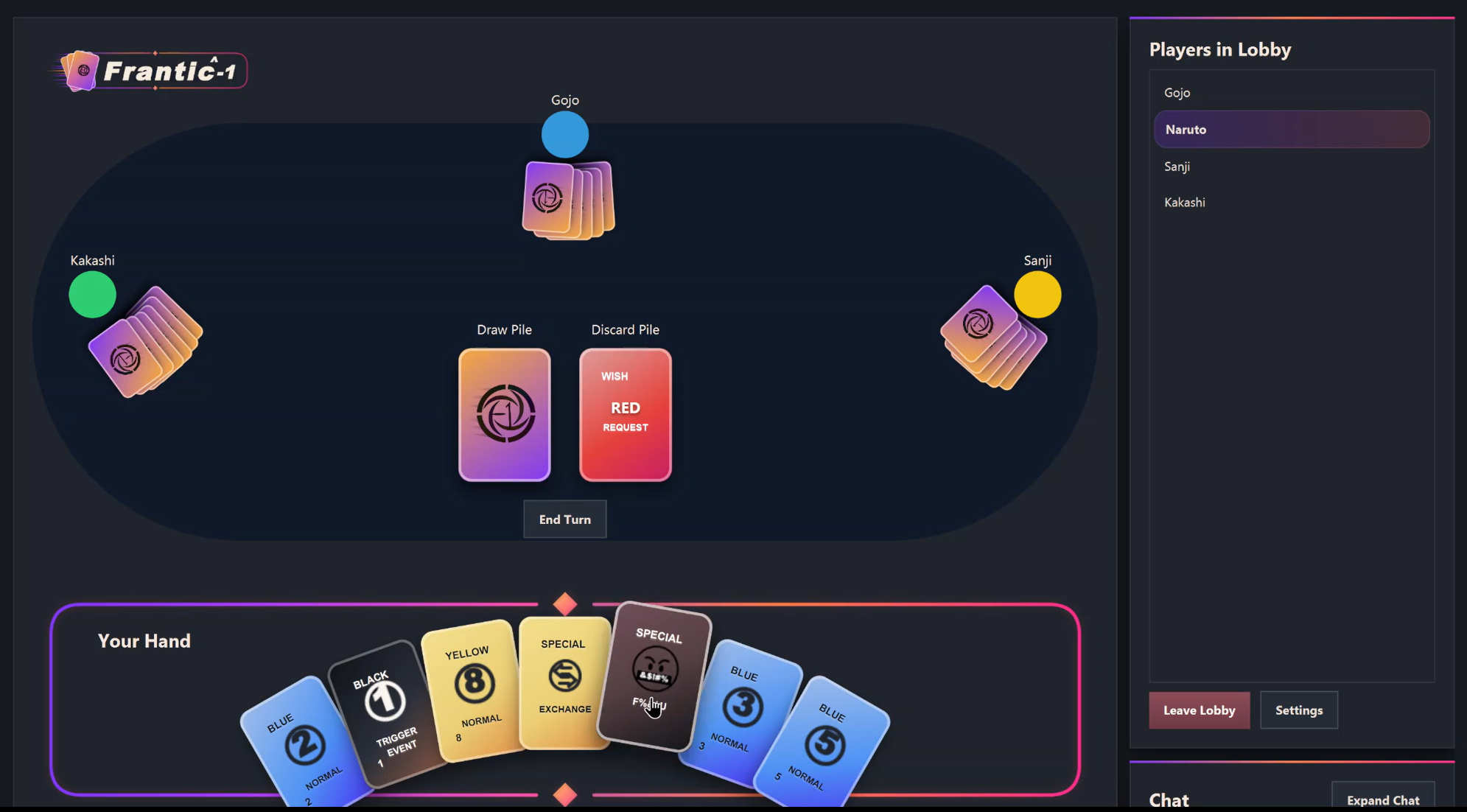
The game screen shows the draw pile, discard pile, current player,
current phase, your hand, other players, Game / Info log and chat.
Click a card to play it. Click the draw pile to draw.
Click End Turn when ending your turn is allowed.
5. Goal
The goal is to get rid of all cards in your hand.
A round ends when one player has no cards left.
At the end of a round, players receive penalty points for cards still in their hand.
The player with the lowest total score wins the match.
6. How a turn works
On your turn, you normally do one of these:
- Play a legal card.
- Draw a card.
- End your turn when the game allows it.
You usually cannot end your turn without first playing or drawing.
If something is not allowed, the Game / Info log shows an error.